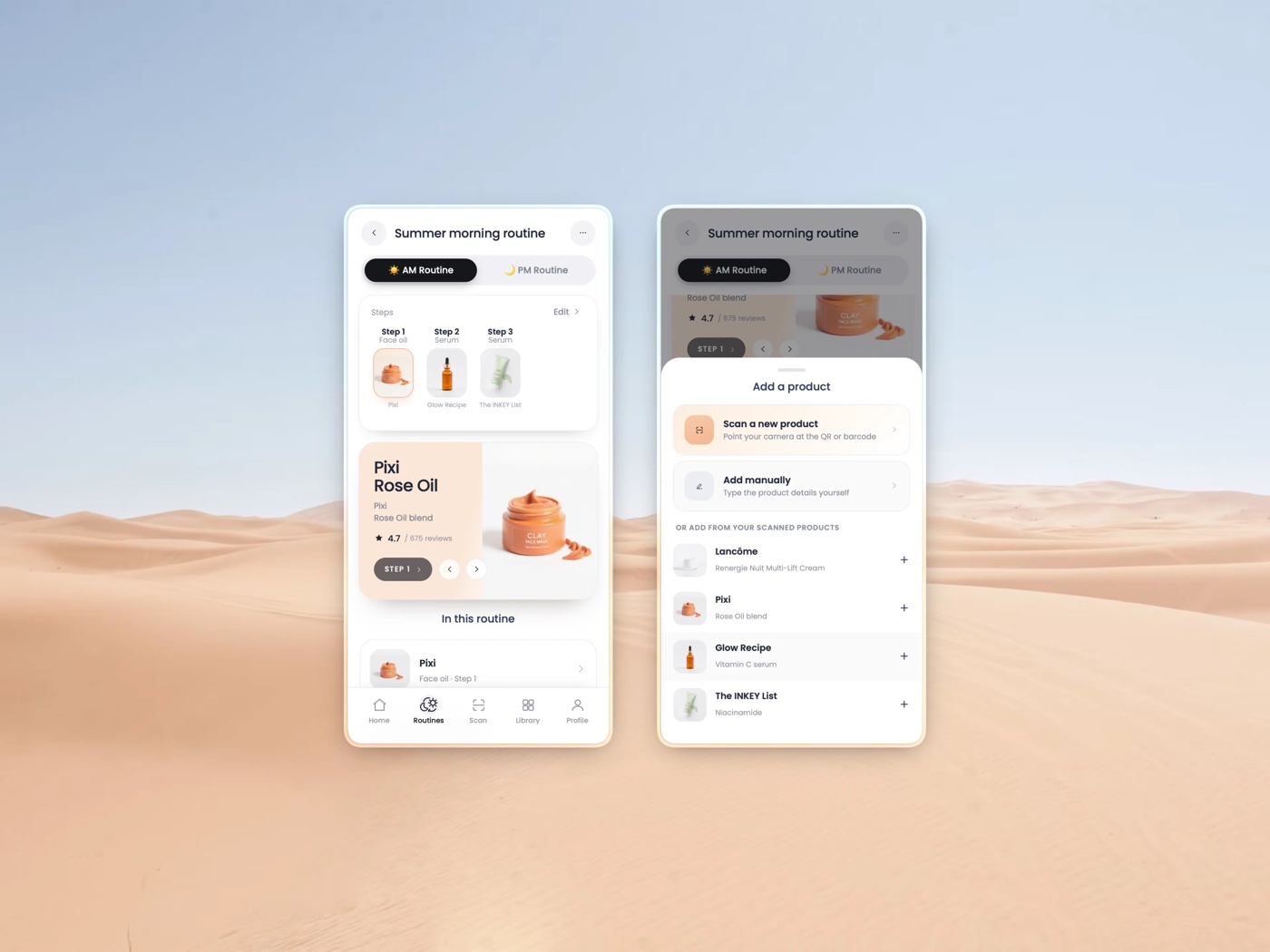
Beauty ID helps people understand skincare, scan products, and use them with confidence. This case study focuses on the AM/PM routine experience: a mobile flow to build morning and night rituals, add products from scans or templates, and keep them editable over time.
Overview
People own plenty of skincare but rarely know how to turn it into a correct daily routine. The routine system gives them a simple way to separate morning and night, order products right, and understand each step.
It also connects to the rest of Beauty ID, so a scanned product becomes a daily action rather than a one-off lookup.
AM + PM
Separate morning and night rituals
3 ways
Build from scans, templates, or manual add
iOS & Android
Mobile-first interaction model
The problem
Skincare users often have the products but not the plan. They need to know which go in the morning, which at night, what order to apply them in, and how to use each one.
And routines change, products run out, get replaced, get added, so the system had to stay easy to update, not a one-time setup.
"People didn't need more products. They needed a routine they could trust and keep current."
What I owned
I led the product design direction for the AM/PM routines flow, from empty state to a created, editable routine.
End-to-end flows
Routine creation, product import, templates, manual add, step detail, and editing.
Interaction model
A mobile-first system using bottom sheets, segmented controls, cards, and toasts.
Visual system
Soft color shifts for morning and night, with a clean, product-focused UI.
Connected experience
Tied routines to scanning, the product library, and usage guidance.
Split routines into AM and PM
Morning and night skincare follow different rules, so the experience offers two clear modes instead of one generic list. The split happens right at creation, before anything else gets complicated.
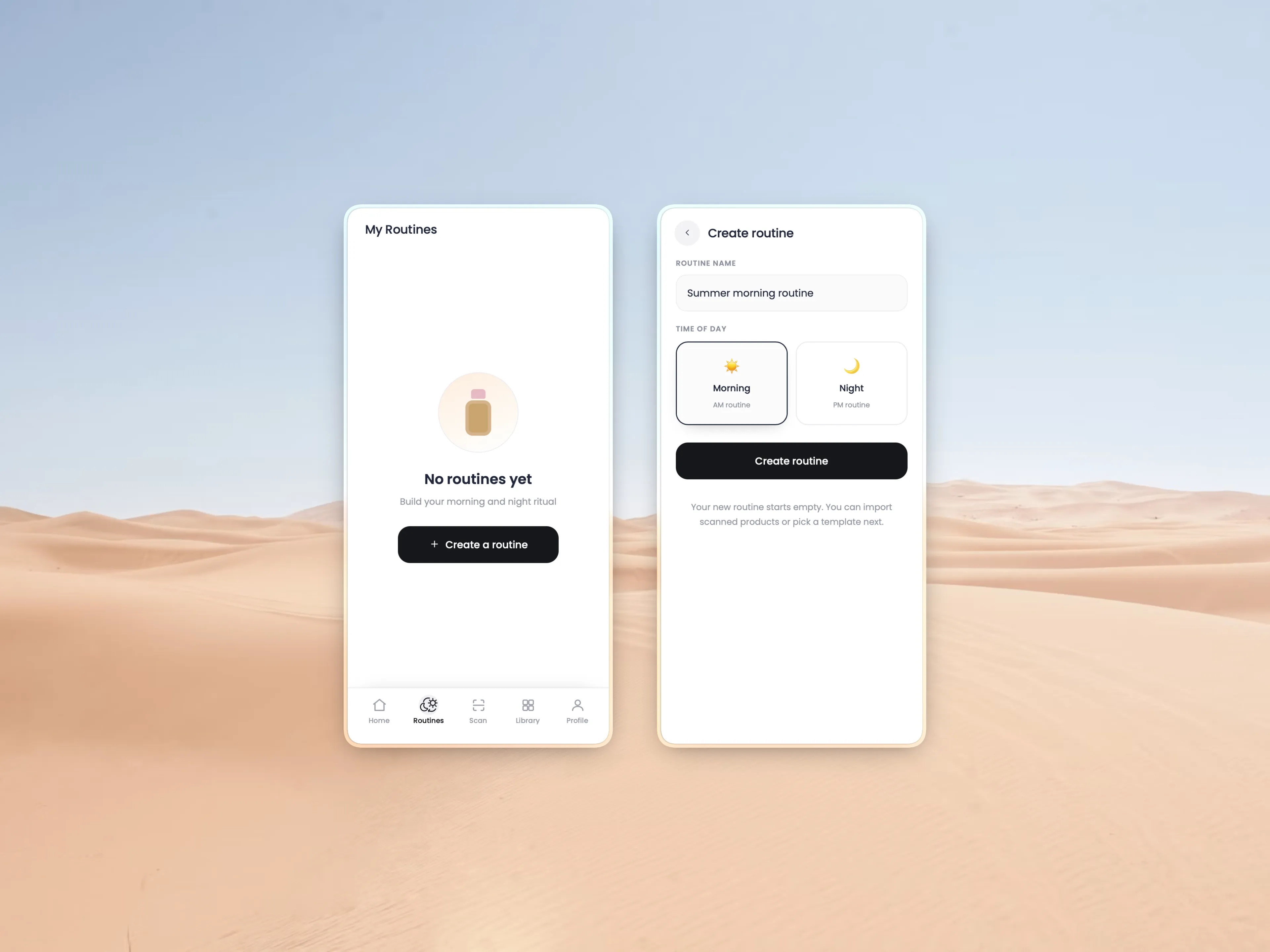
The first screen stays calm and action-oriented, one obvious thing to do: create a routine.

Three ways to build, order made visual
Users can import scanned products, start from a template, or add manually, supporting beginners, confident users, and the real-world case where a product simply hasn't been scanned.
Once products are in, a stepper, a featured step, and the routine list make the sequence obvious, so people grasp the order without reading long explanations.
Keep editing close to the routine
Because routines change so often, editing lives inside the routine itself. Users can reorder, replace, remove, and edit products without digging through settings.
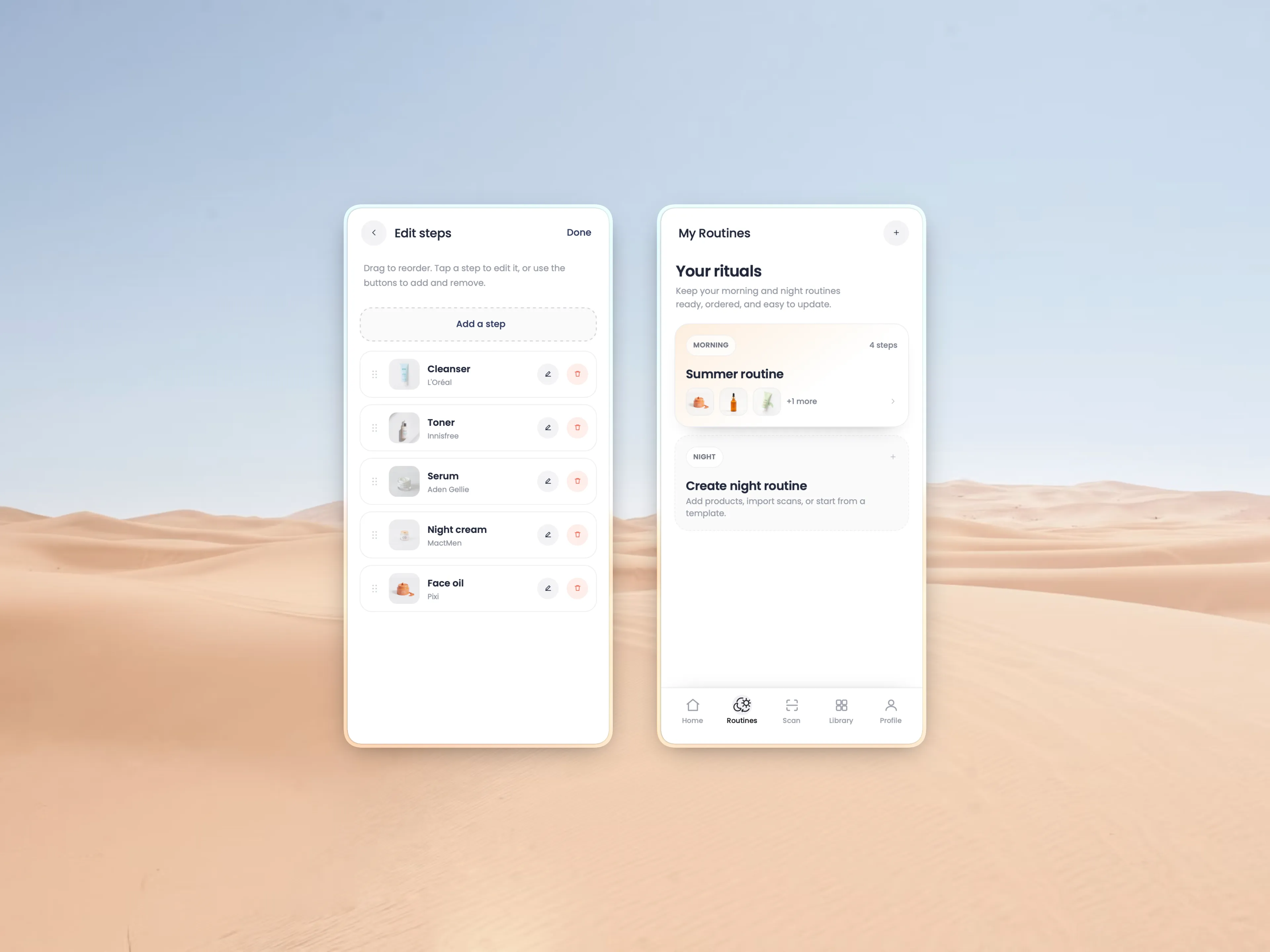
Drag to reorder, tap to edit, swap a product the moment it runs out, the routine stays current with almost no friction.

What I'd do next
Add compatibility warnings for products that shouldn't be layered, and personalize templates by skin type, concerns, and product history.
Then close the loop on consistency: morning and night reminders, routine-completion tracking, and deeper step guidance with ingredient-level education and Lux recommendations.